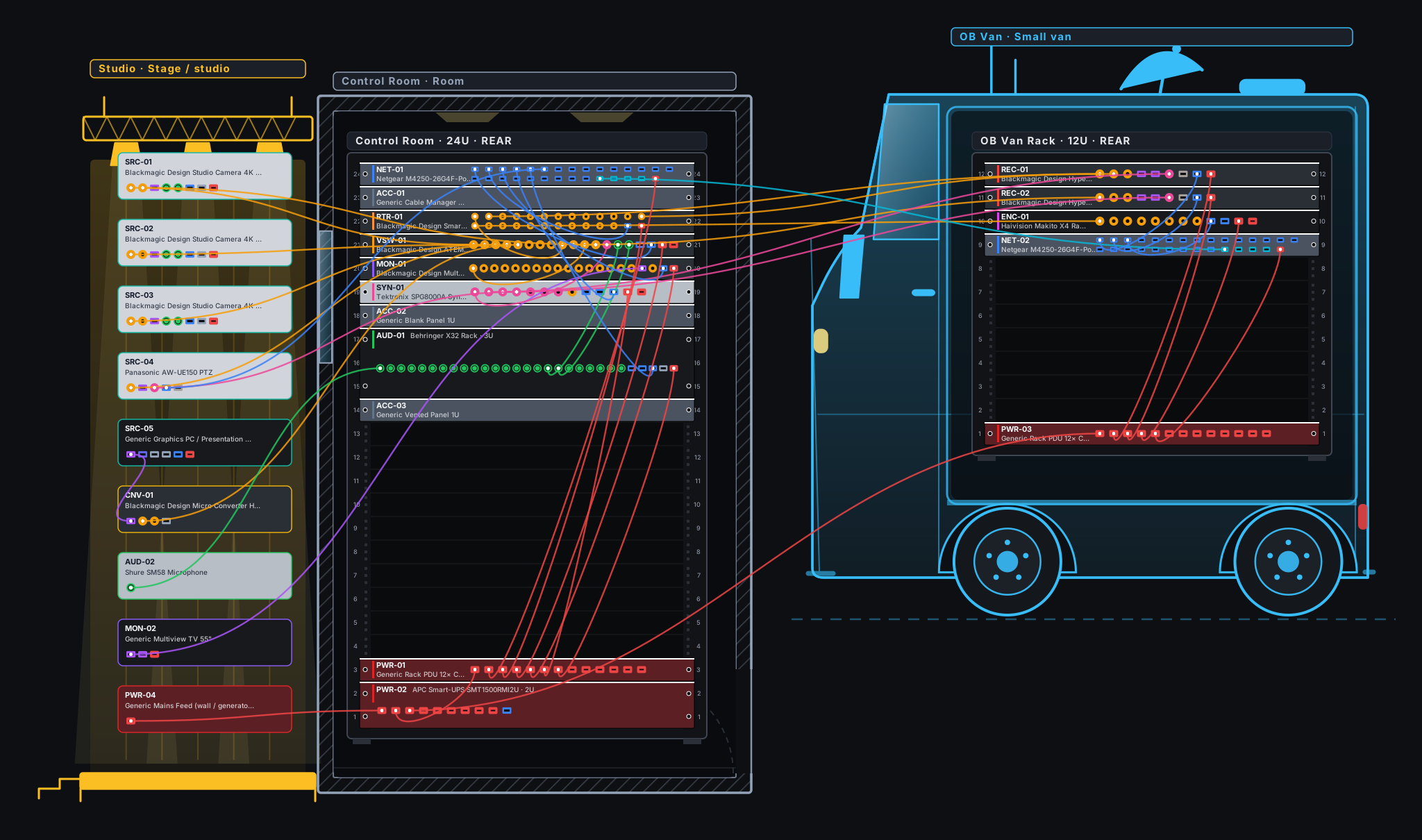
Plan broadcast racks the way you actually build them. Drag equipment from a library of 380+ devices, wire every SDI, HDMI, XLR, network and power connector across as many racks as you need, and print a clean A3 assembly report.
Pan and zoom like a design tool. Put several racks side by side, drop cameras and desktop units anywhere, and wire any device to any other: across racks, across the room.
The Blackmagic Design range from ATEM and Videohub to HyperDeck, Teranex and DeckLink, plus Sony, AJA, Ross, Grass Valley, Evertz, Riedel, Lawo, Calrec, Shure and more. Missing one? Build your own.
SDI, HDMI, SFP, RJ45, XLR, reference and power. The app only lets compatible connectors meet, orients every cable from source to destination and numbers it C001, C002…
Front and rear elevation of every rack, a signal-flow schematic, the cable list and the equipment list. Print it or download the PDF.
Projects are saved in your account as you work and open on any computer. With the full version, send a read-only link to a client or colleague: they see the drawing like the printed report, without an account. Switch the link off whenever you like.
Not in the library? Create a device in a few clicks: brand, model, rack units and every connector group. Or take any library device and make an editable variant.
Broadcast engineers, system integrators, OB and studio designers, and technical sales teams who need to plan equipment racks, show a client how everything is wired, and hand over clear documentation.
No. It runs in your browser on desktop. Projects are saved to your account automatically; the full version also prints the A3 report, downloads the PDF and creates read-only share links.
Seven days with the whole device library, as many connections as you like, and up to 2 racks and 20 devices in one project that is saved automatically. Printing, PDF, project files and share links are part of the full version.
Your project stays, but it becomes read only. If you do not get the full version, everything is deleted 30 days after the trial ends. To keep going, request the full version and we will switch it on for your account.
Over 380 devices from more than 70 brands: 119 Blackmagic Design products (ATEM, Videohub, HyperDeck, Teranex, converters, cameras, Cloud, DeckLink, UltraStudio and more), plus AJA, Sony, Ross Video, Grass Valley, Panasonic, Evertz, Riedel, Lawo, Calrec, Shure and many others. Missing something? Create your own device in a few clicks.
They are representative of each product line, not a datasheet. Always confirm against the manufacturer before ordering.
Yes, with the full version. Create a read-only link to any saved project: the client sees the drawing laid out like the printed report, without logging in, and cannot change or download anything. You can switch the link off at any time.
Sign up with your e-mail, confirm it, and the whole library is yours for a week: up to 2 racks and 20 devices. Need printing, PDF and unlimited racks? Request the full version.